How to order on haanz.lk

haanz.lk හරහා ඇණවුම් කරන ආකාරය

haanz.lk-இல் ஆர்டர் செய்யும் முறை

9 easy steps. Swipe the pictures with your finger, or tap Next.
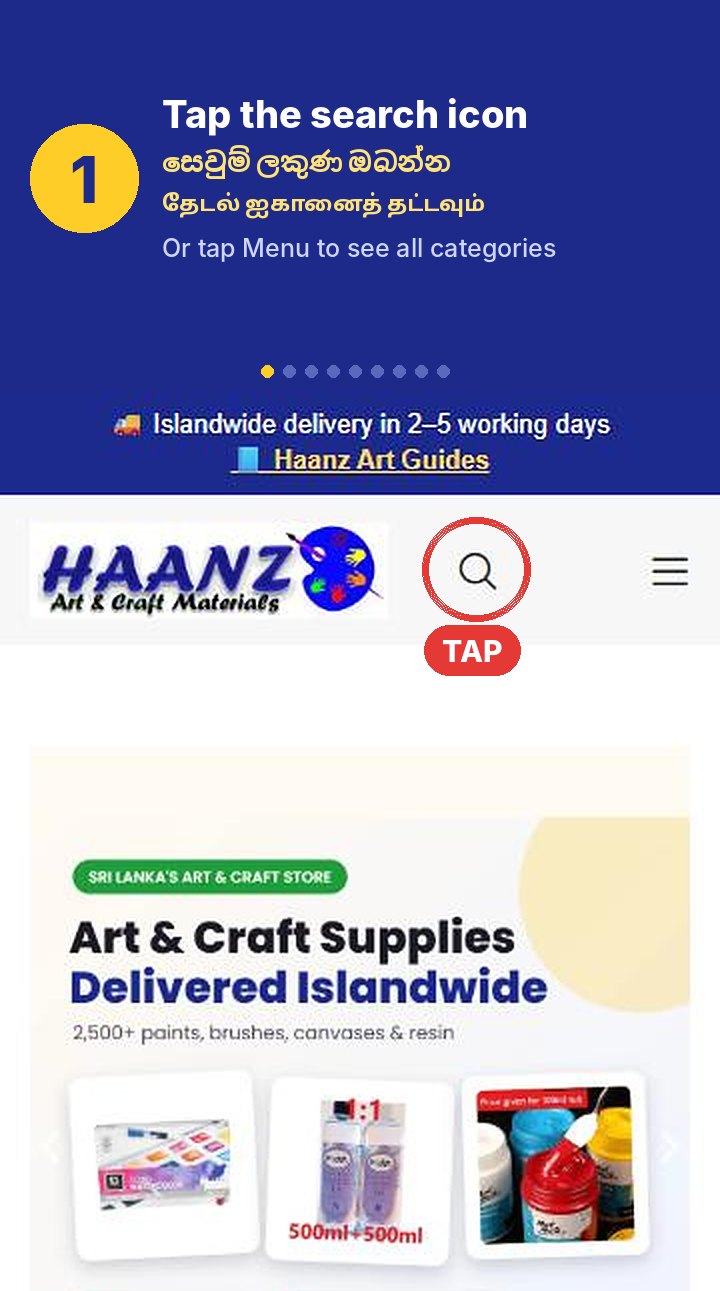
Step 1: Tap the search icon at the top. Or tap Menu to see all categories.
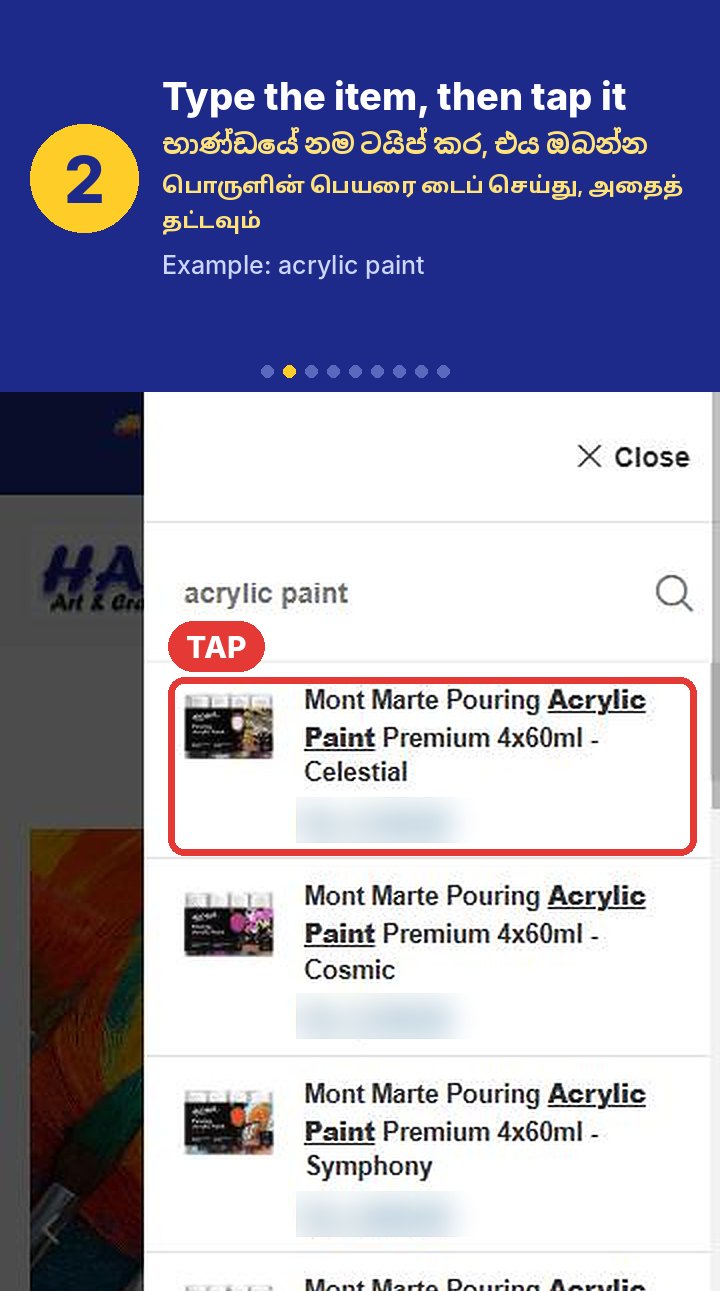
Step 2: Type the item name, for example acrylic paint, then tap the product.
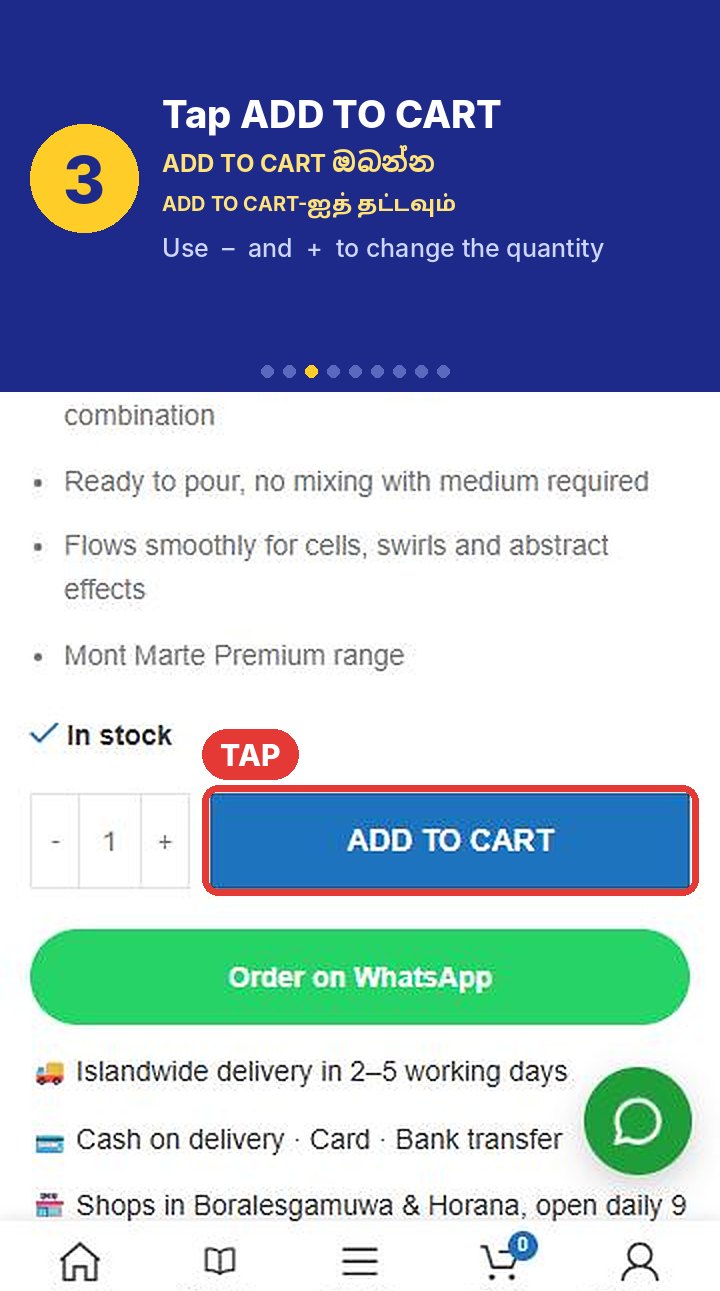
Step 3: Tap ADD TO CART. Use minus and plus to change the quantity.
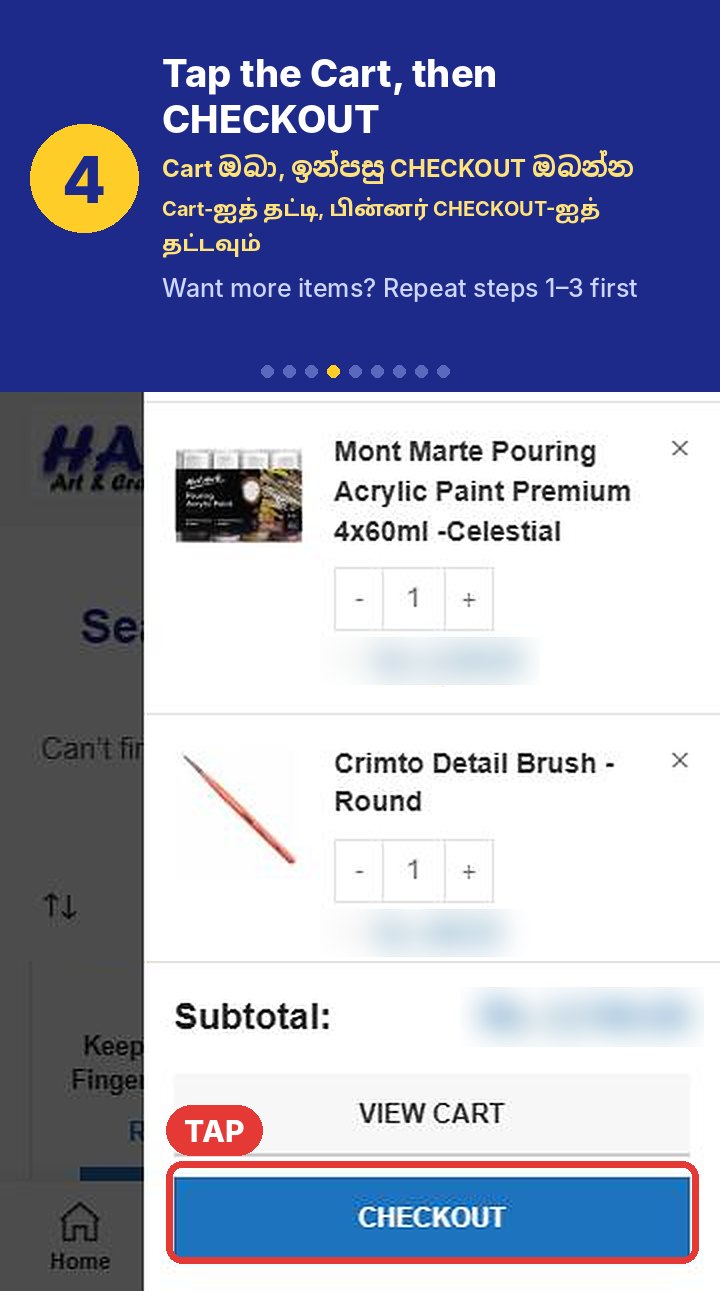
Step 4: Tap the Cart at the bottom of the screen, then tap CHECKOUT. Want more items? Repeat steps 1 to 3 first.
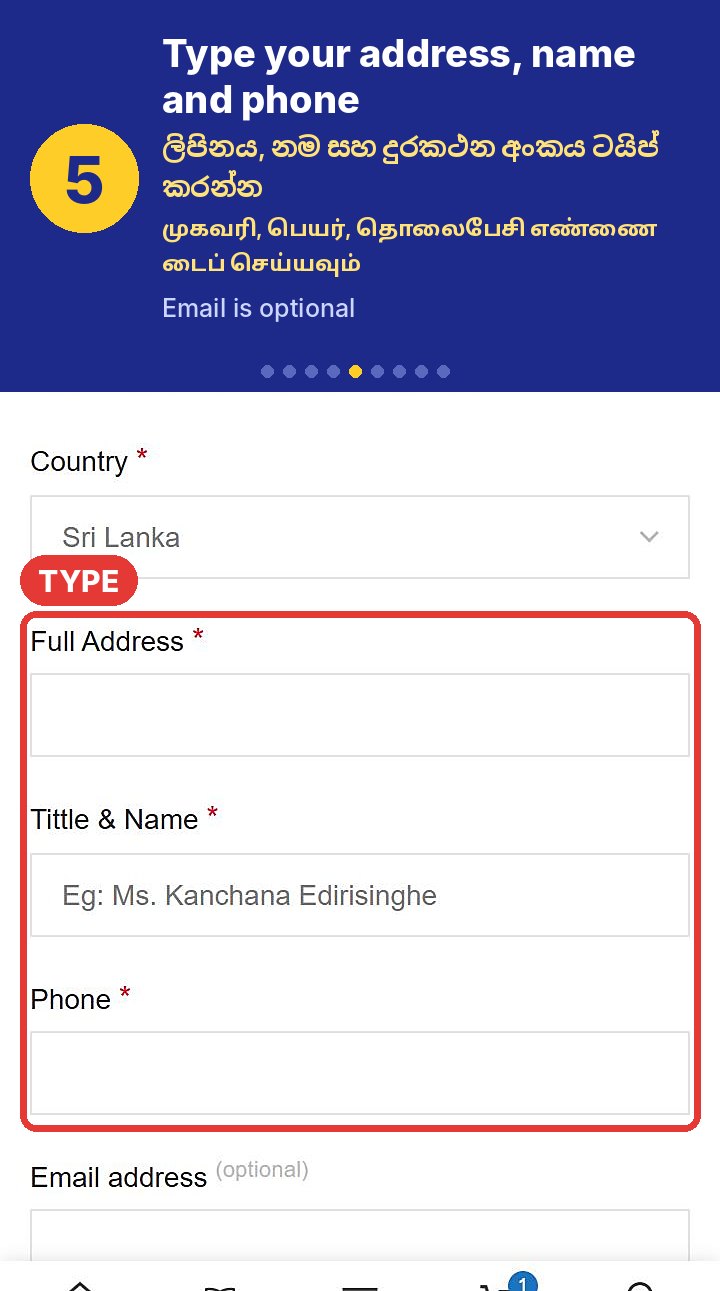
Step 5: Type your full address, your name and your phone number. Email is optional.
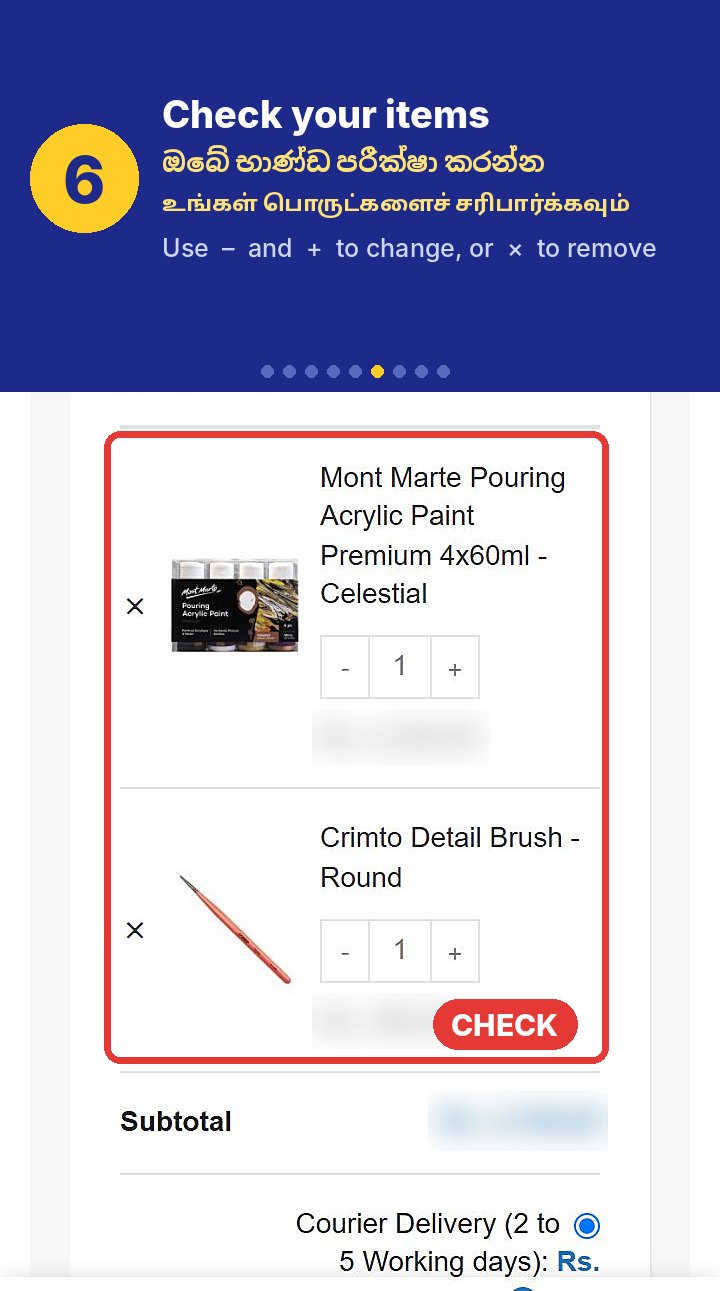
Step 6: Check your items. Use minus and plus to change the quantity, or the x to remove an item.
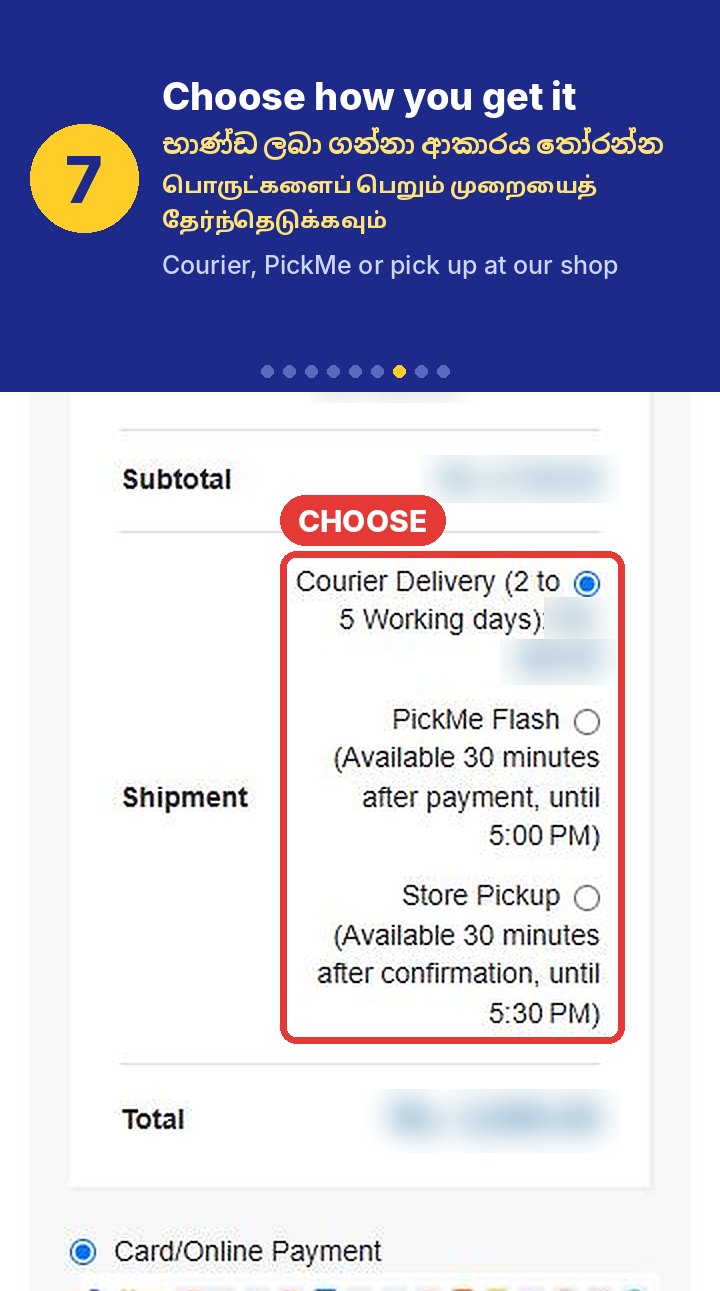
Step 7: Choose how you get your order: Courier delivery, PickMe Flash or Store Pickup.
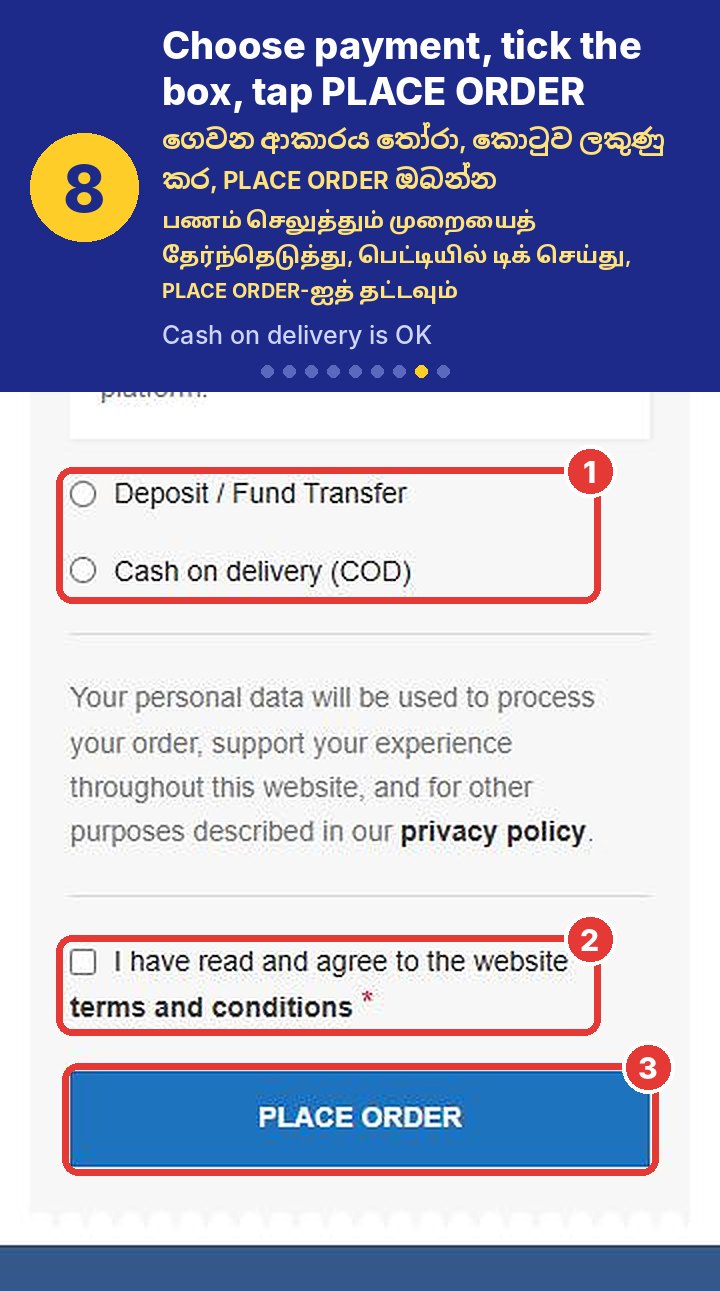
Step 8: Choose how to pay, tick the terms and conditions box, then tap PLACE ORDER. Cash on delivery is OK.
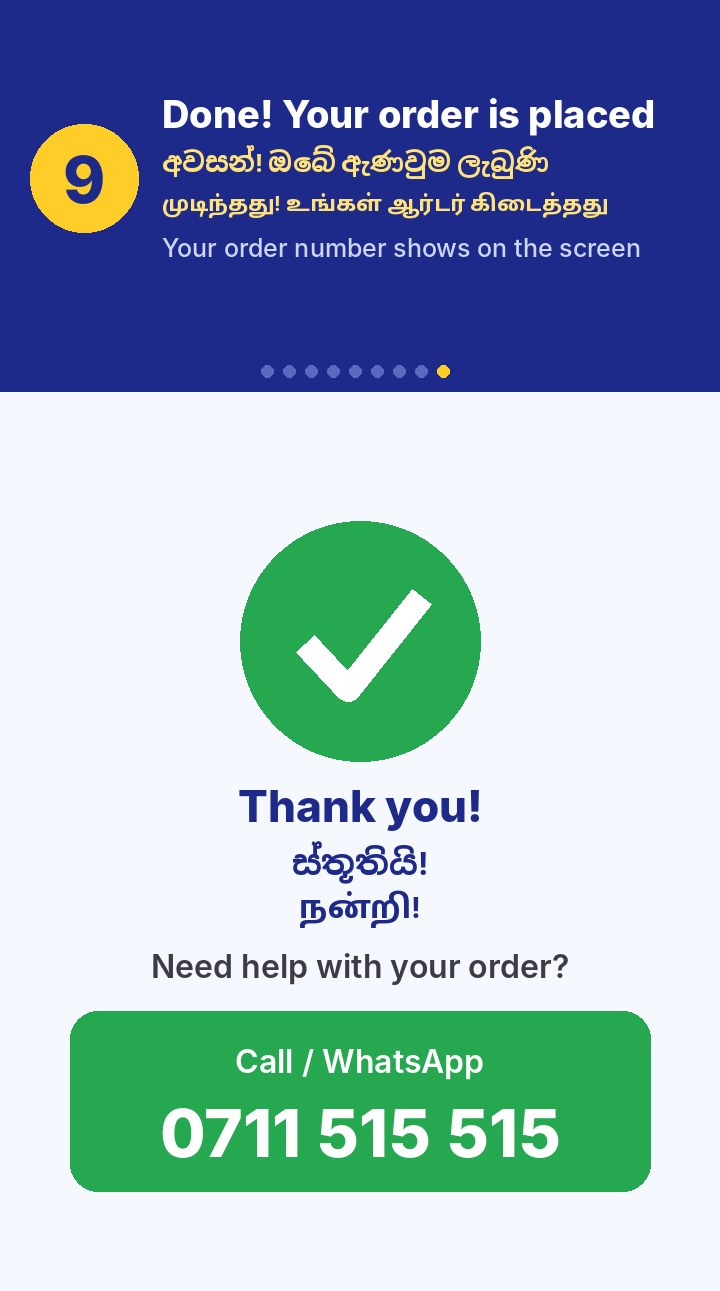
Step 9: Done. Your order is placed and your order number shows on the screen. For help, call or WhatsApp 0711 515 515.
Step 1 of 9

Or watch the short video (no sound)

Need help? We can take your order.

Call / WhatsApp

0711 515 515

Every day, 9 AM – 6 PM